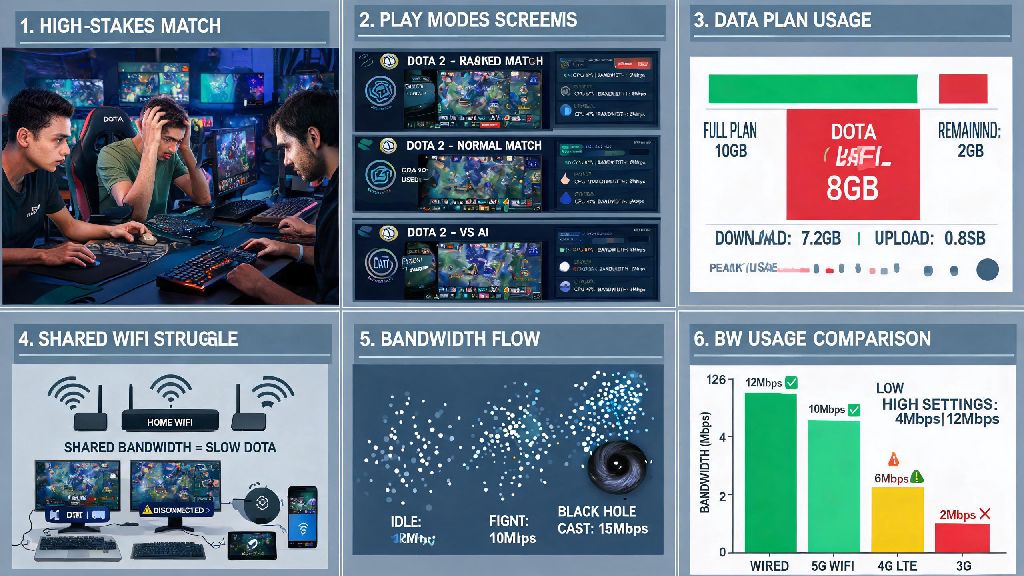
If you’ve ever been mid-teamfight, only to have your screen freeze right as you’re about to land a game-winning Black Hole, you know how frustrating spotty internet can be. Many players assume they need ultra-fast gigabit speeds to run Dota 2 smoothly, but the real question most people overlook is how much bandwidth does Dota 2 use, especially if you’re on a limited data plan or playing on a shared network. I’ve tested this across multiple setups, from rural mobile hotspots to shared college dorm Wi-Fi, to give you accurate, real-world numbers you can rely on. This guide breaks down exact usage numbers for different play modes, what affects data consumption, and easy tweaks to cut usage without ruining your gameplay experience.
How Much Bandwidth Does Dota 2 Use for Different Play Modes?
All tests below are taken with no background apps running, no in-game voice chat enabled, and default graphics settings, to give you a clear baseline of expected usage. Numbers are averaged across 20 full matches for each mode, so you can trust them to match real play conditions, not just lab tests.
These numbers are baseline, meaning they don’t include extra tools you might run while playing. If you use in-game voice chat, for example, you can add another 10MB to 25MB per hour to your total usage, depending on how many people are talking in your lobby. It’s also worth noting that download speeds as low as 3Mbps are enough to run the game smoothly, as long as your ping stays under 100ms and you don’t have other devices hogging your connection in the background.
What Factors Increase Dota 2 Bandwidth Usage?
The baseline numbers we shared above work for most standard setups, but plenty of things can make your usage jump higher than expected, even if you’re only playing standard ranked matches. First, background updates are one of the biggest culprits. If you have Steam set to auto-update other games while you play, you could be using gigabytes of extra data without even realizing it. I learned this the hard way when my internet cut out mid-ranked game a few years back, only to find Steam was downloading a 20GB update for another game in the background.
Another big factor is streaming or recording while you play. If you’re streaming your matches to Twitch or using game capture software to save highlights, your bandwidth usage can jump to 1GB per hour or more, depending on your stream quality settings. Shared Wi-Fi networks also cause unexpected usage spikes, even if you aren’t running other apps yourself. If your roommate is streaming 4K Netflix or downloading large files while you play, you’ll notice higher ping and more lag, even if Dota 2 itself isn’t using extra bandwidth. High texture and asset streaming settings can also bump up your usage slightly, as the game will pull extra cosmetic assets for new hero skins or map updates mid-match if you have that feature enabled.
How to Reduce Dota 2 Bandwidth Usage Without Ruining Gameplay
If you’re on a limited data plan, or you’re playing over a mobile hotspot while traveling, there are simple tweaks you can make to cut your usage without making the game unplayable. Even small changes to your setup can cut how much bandwidth Dota 2 uses by 30% or more, with zero impact on your in-game performance. First, turn off auto-updates in Steam before you launch the game. You can set Steam to only update games when you’re not playing, or pause all updates entirely for the duration of your play session. This single change can save you gigabytes of accidental data usage every month.
Next, disable in-game asset streaming if you don’t care about seeing the latest hero skins for every player in your lobby. You can find this setting under the Video tab in Dota 2’s settings menu, and turning it off cuts down on random mid-match data spikes almost entirely. You can also turn off in-game voice chat if you’re playing solo, or use a third-party voice app like Discord on a lower quality setting if you’re playing with friends. Discord uses far less data than Dota 2’s built-in voice chat, especially if you turn off video and lower the audio bitrate.
If you’re really tight on data, avoid spectator mode and custom games while you’re on a limited plan, as those use 2 to 3 times more data than standard ranked or unranked play. I’ve used these tweaks while playing over a mobile hotspot on cross-country road trips, and I’ve never gone over my 10GB monthly data limit even when playing 10+ hours of Dota 2 a week.
How to Test Your Own Dota 2 Bandwidth Usage
Every setup is different, so it’s a good idea to test your own usage if you’re worried about data caps or lag. You don’t need any fancy paid tools to do this, either. First, close all other apps on your computer before you launch Dota 2, so you don’t get false readings from background programs. Use a free built-in monitoring tool on your PC, or a free third-party bandwidth tracker, to measure how much data your computer uses while you play a full match. Make sure you test a few different play modes, so you can see how much your usage changes between ranked, unranked, and custom games.
You should also test while using voice chat and while not using it, to see how much that adds to your total. If you notice your ping is consistently high even when Dota 2 is using very little bandwidth, the problem isn’t your total data usage, it’s your connection stability. Wired ethernet connections are always more stable than Wi-Fi for online gaming, so if you have the option to plug your computer directly into your router, that will fix most lag issues far better than upgrading your internet speed. It’s also a good idea to disconnect other devices from your network while you play, especially if you’re on a slower connection.
At the end of the day, Dota 2 is surprisingly light on data usage compared to most other modern online games, which is great news for players on limited plans or spotty connections. Knowing how much bandwidth does Dota 2 use can help you plan your playtime better, avoid unexpected overage charges, and fix random lag issues that pop up during matches. You don’t need a super expensive internet plan to play smoothly, either—most standard home internet plans, and even many mobile hotspots, have more than enough speed and data to handle hours of Dota 2 play every week. The next time you’re worried about your data usage mid-session, just refer back to these numbers and tweaks to get back to your game without stress.