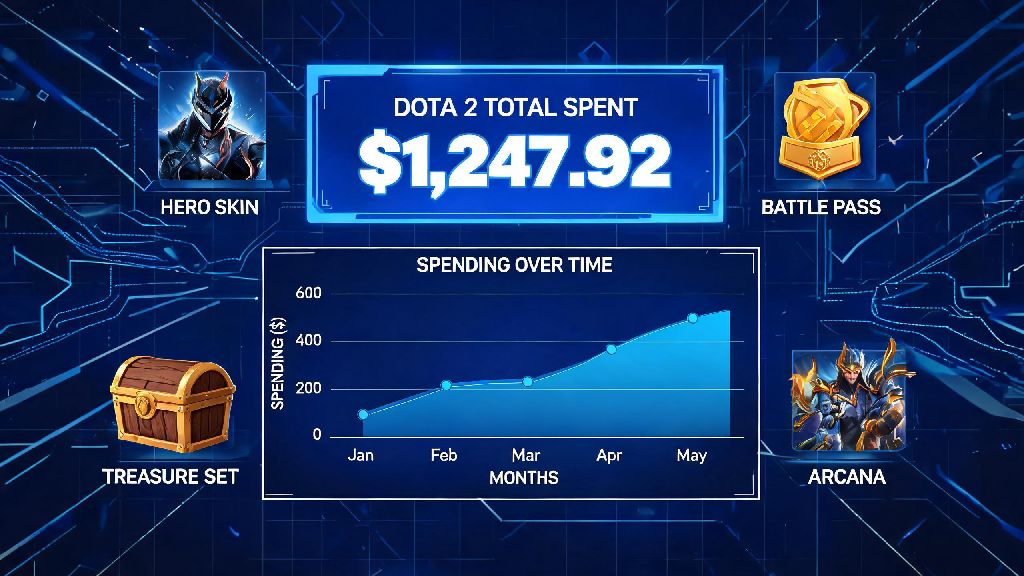
If you’ve ever bought a shiny arcana for your main hero, splurged on a battle pass for exclusive persona skins, or grabbed a random treasure set because the art looked too good to pass up, you’ve probably caught yourself asking, how much have I spent on Dota 2? Microtransactions in the game are designed to be low-friction, so small $2.99 or $4.99 purchases can add up fast without you noticing. Even casual players who only buy the annual International battle pass can end up spending hundreds of dollars over a few years of playing. It’s a super common question, and there are simple, reliable ways to get an exact number.
Official Methods to Check How Much Have I Spent on Dota 2
The most accurate way to get your total spend is directly through your Steam account, since all Dota 2 purchases are processed through Valve’s platform. To find your history, log into the Steam desktop app or website, click your profile icon in the top right, select “Account details”, then scroll to “Purchase history”. You can filter the results to only show Dota 2-related purchases to avoid sorting through game buys or other platform transactions. Steam purchase history is the most accurate official source for your total Dota 2 spend, as it logs every real-money transaction tied to your account.
You can also check a limited purchase history directly in the Dota 2 client, but it usually only shows purchases from the last 12 to 24 months, so it won’t give you a full lifetime total. If you use multiple Steam accounts for Dota 2 smurfs or alternate profiles, you’ll need to repeat this process for each account to get your combined total. Keep in mind that this history will also show any refunds you’ve received for Dota 2 purchases, so it will automatically adjust your total to account for returned items.
What Counts Towards Your Total Dota 2 Spend?
Many players are confused about which purchases actually count towards their total spend, especially if they use the Steam Community Market or buy third-party items with in-game codes. The following items all count as part of your real-money spend on the game:
Items you get for free, like random in-game drops, event rewards for completing challenges, or gifts from friends, don’t count towards your total. Reselling items on the Steam Community Market does not offset your original spend, even if you sell an item for more than you paid for it. The money you make from resales goes to your Steam wallet, but you already spent real money to buy the original item, so it still counts towards your lifetime total.
Most players are shocked to find that small, frequent purchases make up the bulk of their total spend. A $0.99 treasure key here and a $3.99 event bundle there can add up to hundreds of dollars over 5 or 10 years of playing, even if you never buy high-cost items like $35 arcanas.
Why It’s Useful to Track Your Dota 2 Spending Habits
For most players, checking their total spend is just a fun curiosity to compare with friends. I checked my own total last year after 8 years of playing, and was surprised to find I’d spent almost $1,300, most of it on annual International battle passes I bought without thinking twice. But tracking your spend also has real practical benefits beyond just satisfying curiosity.
First, it helps you stay aware of your financial habits. Microtransactions are designed to feel like “fake money” when you’re using a Steam wallet, so it’s easy to overspend without realizing you’re blowing money you could use for other expenses. Steam prohibits account selling, so tracking your spend is only for personal financial awareness, not for valuing your account for resale. Any attempt to sell your Steam account will result in a permanent ban, so don’t waste time calculating your account’s “value” based on your spend.
Tracking your spend also helps you plan for future purchases. If you know the International battle pass drops every August, you can set aside a budget for it instead of impulse buying 100 tiers the second it comes out. You might also find that you’re spending money on items you never use: if you spent $20 on a treasure set for a hero you’ve played twice, you can adjust your future buying habits to only spend money on heroes you actually play regularly.
Tips to Avoid Overspending on Dota 2 In-Game Purchases
Spending money on Dota 2 isn’t a bad thing if it brings you joy and fits within your budget, but it’s easy to get caught up in limited-time event hype and spend more than you intended. The first rule is to set a strict monthly or annual budget for Dota 2 purchases, and only add that exact amount to your Steam wallet at the start of the period. Never save your credit card details directly to Steam if you struggle with impulse buys. Removing the one-click purchase barrier forces you to go through the extra step of entering your card details, which gives you time to think about whether you actually need the item.
For any purchase over $20, wait 24 hours before buying it. Most of the time, the urge to buy a new arcana or limited-time treasure bundle will fade after a day, and you’ll realize you don’t use that hero enough to justify the cost. You can also take advantage of free in-game rewards to cut down on unnecessary spends: you can get dozens of free skins, emoticons, and even battle pass levels just by playing matches, completing event challenges, and watching official Dota 2 tournaments on Twitch with drops enabled.
You don't need to buy every battle pass tier to get most of the good rewards. Most annual battle passes have enough free weekly challenges to get you to level 100 or higher without paying extra for tiers, as long as you play a few matches a week. If you only care about the main persona or arcana reward, you usually don’t need to spend more than the base $9.99 battle pass price to unlock it if you play regularly throughout the event.
At the end of the day, asking how much have I spent on Dota 2 is a common question for players of all skill levels, from casual new players to long-time 10k MMR grinders. Spending money on the game is completely fine if it’s within your budget and makes your time playing more fun, but it’s always smart to know exactly where your money is going. Take 10 minutes to check your Steam purchase history next time you log on, you might be surprised by what you find, and you’ll be able to make more intentional purchase decisions going forward.