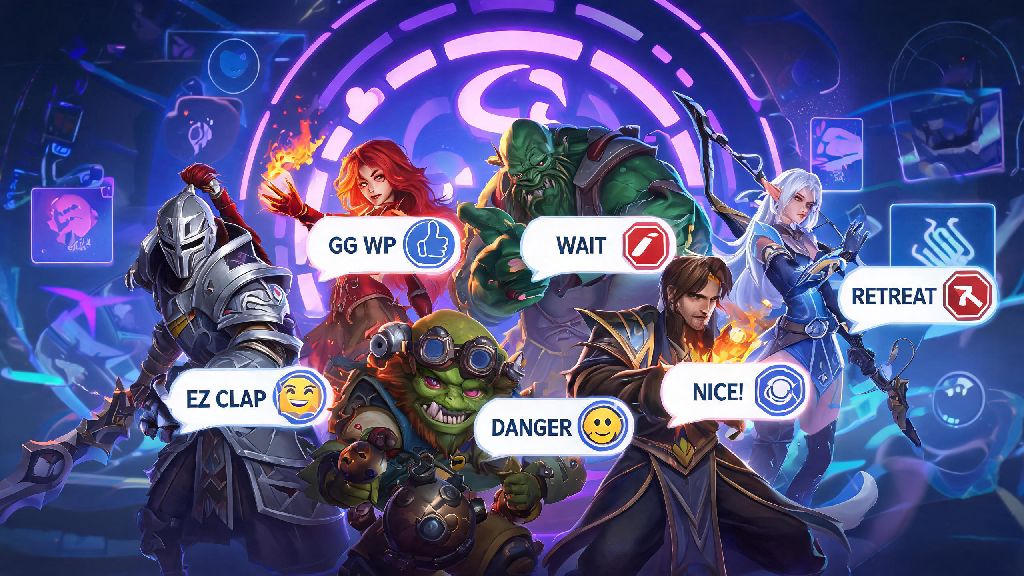
If you’ve ever queued up for a Dota 2 match and heard a teammate drop a hilarious custom meme line or iconic caster quote through the chat wheel, you’ve probably wondered how to get those for yourself. Learning how to buy chat wheel Dota 2 cosmetics is easier than you might think, even if you’ve never purchased in-game items outside of the Battle Pass before. The chat wheel isn’t just for fun either: it can speed up communication, cut down on toxic typing, and make every match feel more personal, no matter what MMR bracket you play in. I’ve been collecting custom chat wheel lines for 6 years now, and I’ve tested every purchasing method out there to figure out which ones are safe, affordable, and worth your time.
What to Know Before You Learn How to Buy Chat Wheel Dota 2 Items
First, it’s important to clarify that all chat wheel lines are purely cosmetic. They don’t give any gameplay advantage, so you don’t have to worry about paying for pay-to-win perks that will make you better at the game. They only change the lines you can send through your chat wheel, for both you and your teammates to hear.
A lot of new players assume that all custom chat wheel lines are locked behind paid Battle Passes that are only available for a few months each year. That’s not the case. Most lines from past Battle Passes are released to the Steam Community Market a few months after the event ends, so you can pick them up any time, even if you didn’t buy the pass when it was active. You don’t need to own a Battle Pass to buy most chat wheel lines after the event ends, which is a myth I see spread all the time in beginner Dota 2 groups.
You will need a non-limited Steam account to make purchases or trades. If you’ve spent at least $5 USD on the Steam platform total, your account is already unlocked and ready to go. If you haven’t, you can add that amount to your Steam wallet to unlock trading and market access in just a few minutes. All official chat wheel purchases are tied to your Steam account permanently, so you won’t lose them if you switch computers or reset your game settings.
3 Safe, Legitimate Methods to Purchase Dota 2 Chat Wheel Lines
There are only three methods I recommend for buying chat wheel lines, after years of testing different platforms and avoiding dozens of scams. All of these are protected by Steam’s official policies, so you don’t have to worry about losing your money or your account:
So which method should you pick? If you’re looking for a specific line and you want it right away, the Steam Community Market is your best bet. Prices are usually lower than the in-game store, and you can find almost every line ever released, as long as it’s marketable. If you don’t have a specific line in mind and just want to test out a few custom lines, the in-game store bundles are a great value, because you get multiple lines for a low price. I once traded a rare courier for a chat wheel line I thought was the TI9 "Okay, this is it" line, but it was a different, much less popular line, so I always double check the preview in the trade window now.
How to Pick the Right Chat Wheel Lines for Your Playstyle
With thousands of chat wheel lines available, it can be overwhelming to pick which ones to buy. The easiest way to narrow down your options is to think about what you use your chat wheel for most often, and who you usually play with.
If you play a lot of ranked matches, you might want to prioritize practical lines first, because you don’t have time to type out comms during tense team fights. Lines like "Back off", "Push now", and "Buyback available" can save you seconds that make the difference between winning and losing a team fight. If you mostly play unranked or Turbo mode with friends, you can fill your wheel with meme lines, song clips, or pro player trash talk lines that make your group laugh.
You can have up to 12 custom chat wheel lines active at one time, so you don’t have to choose between practical and funny options. I have a mix of both: half my wheel is practical comms for ranked, and half is silly lines for when I’m playing with my friends on weekends. It’s the perfect balance for me, and it took me less than 10 minutes to set up after I bought the lines. If you’re a fan of a specific pro team or caster, you can also search for lines from their appearances at The International or other major tournaments, which are usually some of the most popular lines on the market.
One thing I always recommend is previewing the line’s volume before you buy. Some lines are too quiet to hear over in-game sound effects, while others are so loud they’ll annoy your teammates. The preview button on the Steam Community Market will let you hear the exact volume and tone of the line, so you don’t waste money on something you can’t actually use.
Common Mistakes to Avoid When Buying Dota 2 Chat Wheel Items
After years of buying and trading chat wheel lines, I’ve made almost every mistake in the book, and I’ve seen hundreds of new players make the same ones. These are the most common mistakes to watch out for:
First, falling for scam sites that offer "free" chat wheel lines or rare lines for 90% off. These sites almost always ask for your Steam login details, and once you enter them, they’ll take over your account, steal all your items, and possibly use your account to scam other players. If a deal for a rare chat wheel line seems too good to be true, it almost always is. Stick to official Steam platforms to avoid this risk entirely.
Second, forgetting to check if the line is tradable or marketable before you buy. Some lines from recent Battle Passes are locked for a year after the event ends, so you can’t resell them if you decide you don’t like it later. Always check the "Marketable" tag on the listing before you purchase, if you think you might want to resell it down the line. Most common lines are marketable immediately, but rare limited-edition lines often have restrictions.
Third, buying too many lines at once. You only have 12 slots available on your chat wheel, so don’t spend $50 on 20 lines that you’ll never get around to using. I did that during TI11, I bought 17 lines, and I still haven’t switched out half of my original ones, so it’s a waste of money if you go overboard. Start with 3 to 5 lines you know you’ll use, then add more over time as you find new ones you like.
Another small mistake I see a lot: buying lines in a language you don’t speak. Some pro player lines are only available in their native language, so if you don’t speak Russian, don’t buy a line from a Russian pro player just because it’s cheap. You won’t understand what it says, and your teammates probably won’t either.
At the end of the day, learning how to buy chat wheel Dota 2 items is a low-stakes, fun way to make your matches feel more personal, whether you’re a new player still learning the ropes or a 10-year veteran who’s seen every meta shift. You don’t have to spend a lot of money to get great lines, even $1 can get you 3 or 4 common lines that fit your playstyle perfectly. Just stick to official Steam platforms, preview every line before you buy, and don’t fall for too-good-to-be-true deals, and you’ll have a custom chat wheel that fits your vibe in no time. The best part? You can switch out your lines whenever you want, so you can update it for new events, meme trends, or when you find a new pro player quote you love. Don’t overthink it: pick a few lines that make you happy, and jump into a match to test them out.