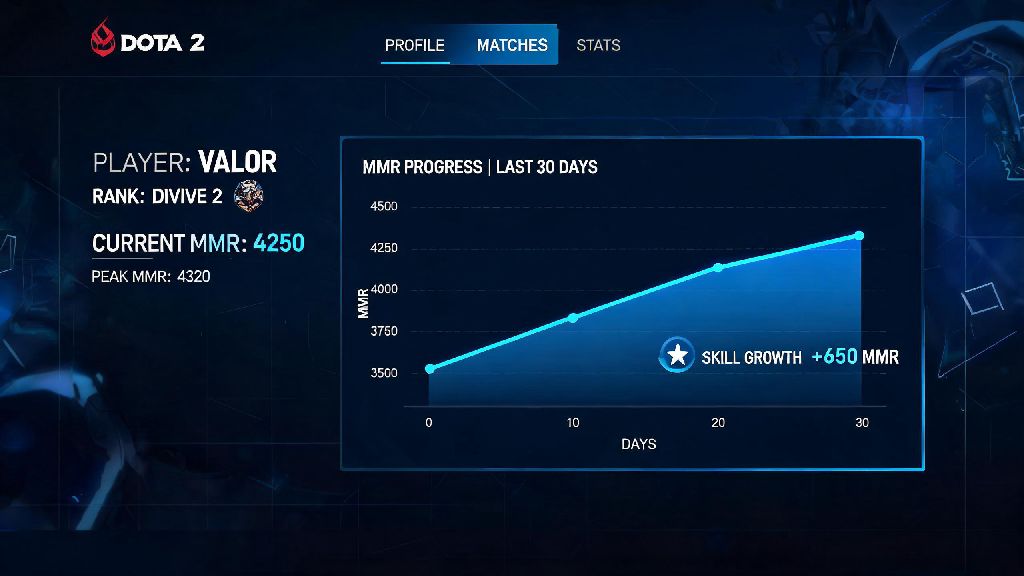
If you’ve ever queued up for a Dota 2 match and wondered why you’re paired with players who either carry every game or feed nonstop, the answer almost always ties back to MMR. This hidden (and not-so-hidden) number is Valve’s core tool for balancing matches, and it’s the main metric players use to track their skill growth over time. If you’re new to ranked play or just coming back after a long break, knowing how to check mmr in dota 2 can help you set realistic improvement goals and understand exactly where you stand in the player base.
How to Check Your Official Ranked MMR in Dota 2 In-Game
The only way to see your 100% accurate, official ranked MMR is directly through the Dota 2 client, and the process takes less than 30 seconds once you know where to look. First, boot up Dota 2 and click on your profile icon in the top right corner of the main menu, right next to the settings cog. From there, navigate to the “Stats” tab, which sits between the “Profile” and “Matches” tabs at the top of the screen. You can toggle between viewing your core and support ranked MMR by clicking the role icons at the top of the stats section. If you play party ranked, you’ll also see a separate party MMR number listed below your solo ranks.
You need to play at least 10 ranked calibration matches to see an official ranked MMR number, so if you just made a new account, you’ll have to grind those out first before you get a fixed rank. If your profile is set to private, only you will be able to see these numbers, even if you link your account to other platforms. You don’t need to pay for any extra features or subscriptions to see your official MMR, it’s available for free to all players who meet the calibration requirements.
3 Ways to Check Hidden or Unranked Dota 2 MMR
Most new players don’t realize that Valve tracks a separate hidden MMR for unranked matches, even if you’ve never played a single ranked game. This number is what determines who you get matched with in unranked lobbies, and it’s the baseline for your first ranked calibration. You can’t see this number directly in the official client, but there are a few reliable ways to get a close estimate:
Hidden unranked MMR is never visible directly in the official Dota 2 client, so any number you get from third parties is an estimate, not 100% accurate. If you have a private profile, third-party tools can’t pull your match data, so you’ll need to set your profile to public temporarily if you want to get an unranked MMR estimate. That said, you don’t ever need to share your private account details to get these estimates, so avoid any sites that ask for extra information beyond your Steam ID.
What Your Dota 2 MMR Numbers Actually Mean
MMR stands for Matchmaking Rating, and it’s the numerical value Valve uses to sort players into fair, balanced matches. Every win adds a small amount of MMR to your total, and every loss subtracts a roughly equal amount, so the number changes constantly as you play. Core and support MMR are tracked separately, so you can be a higher rank at support than core even if you play both roles regularly. I’ve had friends who were confused when their support MMR was 800 points higher than their core MMR, but that’s totally normal if you mostly queue support for unranked matches before calibrating ranked.
For reference, the rough MMR ranges for each rank tier are: Herald (0-700), Guardian (700-1400), Crusader (1400-2100), Archon (2100-2800), Legend (2800-3500), Ancient (3500-4200), Divine (4200-5500), and Immortal (5500+). If you hit Immortal rank, you’ll also see a regional leaderboard position if you’re in the top 1000 players of your region, which updates daily based on MMR changes. Party MMR works the same way as solo MMR, but it only changes when you queue for ranked matches with 2 or more players in your party.
Common Mistakes to Avoid When Checking Your Dota 2 MMR
It’s easy to run into confusion or even security risks if you don’t know what to look for when checking your MMR. First, never trust random third-party sites that ask for your Steam login info or 2FA codes to show your MMR. Legitimate stat trackers never ask for your Steam password or 2FA codes, they only use public Steam API data that anyone can access with your Steam ID. Giving your login details to untrusted sites can lead to your account being stolen, so it’s not worth the risk for an MMR estimate.
Second, don’t panic if your MMR drops 200 or 300 points after a losing streak. The matchmaking system uses a hidden confidence metric, so if you have a string of bad games, it will adjust slowly back to your actual skill level over time, instead of dropping you 10 ranks overnight. Third, don’t obsess over small MMR changes. Most players gain or lose 20-30 MMR per match, so a 50 point drop over a day of playing is totally normal, and not a sign that you’re getting worse at the game. If you want to track your progress, check your MMR once a week instead of after every match, so you can see long term trends instead of short term fluctuations.
Whether you’re a new player just getting into ranked for the first time or a returning veteran wanting to see how your skills have improved after a break, knowing how to check mmr in dota 2 is the first step to tracking your growth. At the end of the day, MMR is just a tool to make sure you’re matched with players at a similar skill level, so you can have fun, fair matches without getting stomped or carrying every game. You don’t need to chase a specific rank to enjoy Dota 2, but knowing your MMR can help you set realistic goals and focus on specific skills to improve over time.