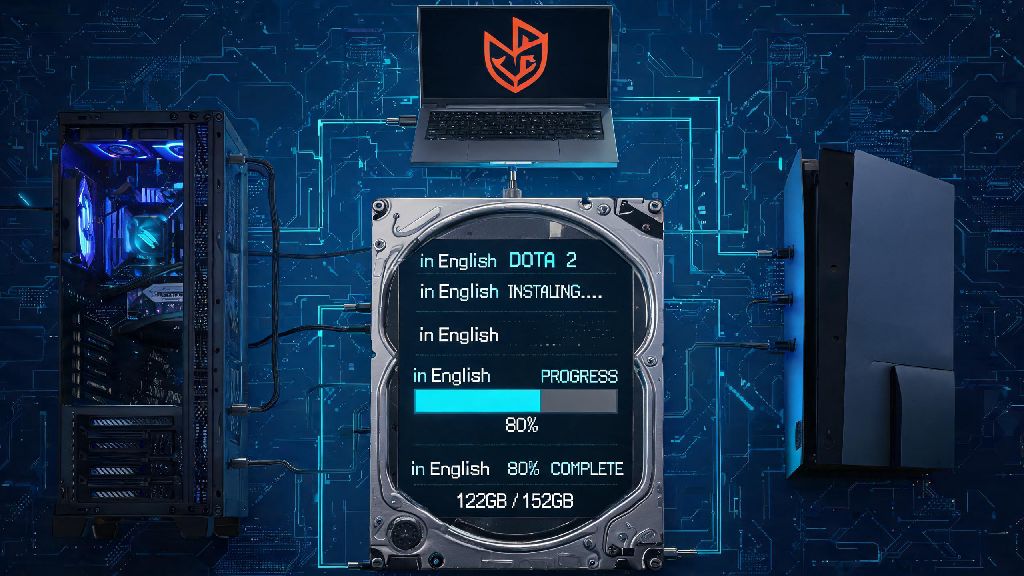
If you’re gearing up to play your first match of Dota 2, or coming back after a long break, one of the first hurdles you’ll run into is clearing enough space on your hard drive. Many new players are caught off guard by how large modern multiplayer games get, especially ones that receive regular updates and new content every few months. If you’ve ever asked how much space does dota 2 take before hitting the download button, you’re not alone. I’ve had friends give up on installing the game entirely because they didn’t realize they needed to clear out old files first, so I put together this guide to take the guesswork out of the process. It breaks down exact storage requirements across devices, why the file size is so big, and simple fixes if you’re short on available space.
Exact Breakdown of How Much Space Dota 2 Takes Across Devices
The base install size for Dota 2 varies slightly depending on your operating system and whether you install optional high-resolution texture packs. For most Windows users, the current base install sits at roughly 52GB, while Mac users will need around 54GB, and Linux users need about 53GB. If you’re installing on a Steam Deck, the optimized portable install is a bit smaller at 48GB, since it cuts out some high-resolution assets that won’t display properly on the Deck’s 720p screen.
These numbers only apply to the base game with no extra content added. If you subscribe to workshop content like custom games, custom skins, or custom HUDs, you can easily add another 10 to 30GB of extra storage usage on top of the base install. Even if you don’t use workshop content, seasonal events like Diretide or Aghanim’s Labyrinth can add 2 to 5GB of temporary content that stays on your drive until the event ends.
You should always reserve at least 20GB extra space beyond the base install size to account for weekly patches, event content, and minor bug fixes. I’ve made the mistake of only clearing exactly 52GB for a fresh install before, only to have the download fail halfway because a 3GB patch dropped while the game was downloading. It’s a huge waste of time, so it’s always better to leave extra room.
Why Dota 2’s File Size Is So Large Compared To Other MOBAs
If you’ve played other MOBAs like League of Legends or Smite, you might be shocked to see Dota 2’s file size is nearly double those titles. There are a few key reasons for this difference, and almost all of them are intentional design choices to improve the player experience. First, Dota 2 runs on Valve’s Source 2 engine, which uses higher resolution 3D models, textures, and sound files than many competing MOBA engines. Even if you play on low settings, those high-resolution assets are still included in the base install for players who want to use them.
Another big factor is that Dota 2 includes all official heroes, game modes, and event assets in the base install. The game now has over 120 playable heroes, each with dozens of unique skins, voice lines, animations, and ability effects. All of that content adds up fast, especially when you consider that every hero has localized voice lines for over 20 supported languages.
Unlike many other MOBAs that force you to download optional content separately, Dota 2 packs all official game modes and hero assets into the base install to cut down on queue times and loading screens. That means you don’t have to wait for a download if you want to switch from ranked All Pick to Turbo or Ability Draft, which is a huge quality of life win for most players. The only extra content you have to download separately is user-created workshop content.
Simple Ways to Reduce Dota 2’s Storage Footprint Without Breaking the Game
If you’re short on storage space, you don’t have to delete your entire photo library or uninstall other games just to play Dota 2. There are several safe, easy tweaks you can make to cut the total install size by 10 to 20GB, without affecting core game performance or features. You just have to make sure you only use the official Steam menus to make changes, instead of manually deleting files from your game folder.
Here are the most effective safe ways to shrink Dota 2’s file size:
Most players who don’t use custom games can cut their total Dota 2 install size down to 40GB or less with these simple tweaks. I did this last year when my primary SSD was almost full, and I didn’t notice any difference in game performance or visual quality at 1080p.
Never delete core game files manually from your Steam folder, as this will cause launch errors and force you to re-download the entire game. Even if you think a file is unused, it’s almost always tied to a core game feature that will break if you remove it. Stick to the official Steam settings menus for all storage changes to avoid headaches.
What Happens If You Don’t Have Enough Space For Dota 2?
You might be tempted to squeeze Dota 2 onto a drive that only has exactly enough space for the base install, but that’s almost always a bad idea. The first and most common issue you’ll run into is failed downloads or patch installations. If your drive runs out of space mid-download, Steam will often pause the download and show a vague error message that doesn’t tell you what went wrong. I’ve spent hours troubleshooting this exact issue before realizing I just needed to clear a few extra GB of space.
Even if you manage to get the game installed, running it on a nearly full drive will cause performance issues over time. The game needs to write temporary files during matches and updates, and if there’s no space for those files, you’ll get random crashes or freezes mid-game. That’s the last thing you want to happen during a close ranked match when you’re about to win.
Running Dota 2 on a drive with less than 10GB of free space can also hurt your in-game performance, leading to longer load times and occasional frame drops during team fights. If you’re really tight on space, consider moving Dota 2 to an external SSD. As long as you use a USB 3.0 or faster drive, the game will run just as well as it does on an internal drive, and you won’t have to delete any other content to make room.
At the end of the day, the exact amount of storage you need for Dota 2 will depend on what extra content you want to use, but the base install will hover around 55GB for most PC users. Whether you’re a brand new player just checking out the game for the first time, or a long time fan re-installing after a break, knowing how much space does dota 2 take will help you avoid frustrating download errors and last minute storage scrambles before your next match. If you follow the simple storage saving tips we shared, you can easily cut the total size down by 20% or more without losing any of the core game features you care about. Once you’ve got it installed, you can jump right in and start learning the basics without worrying about storage issues ruining your experience.