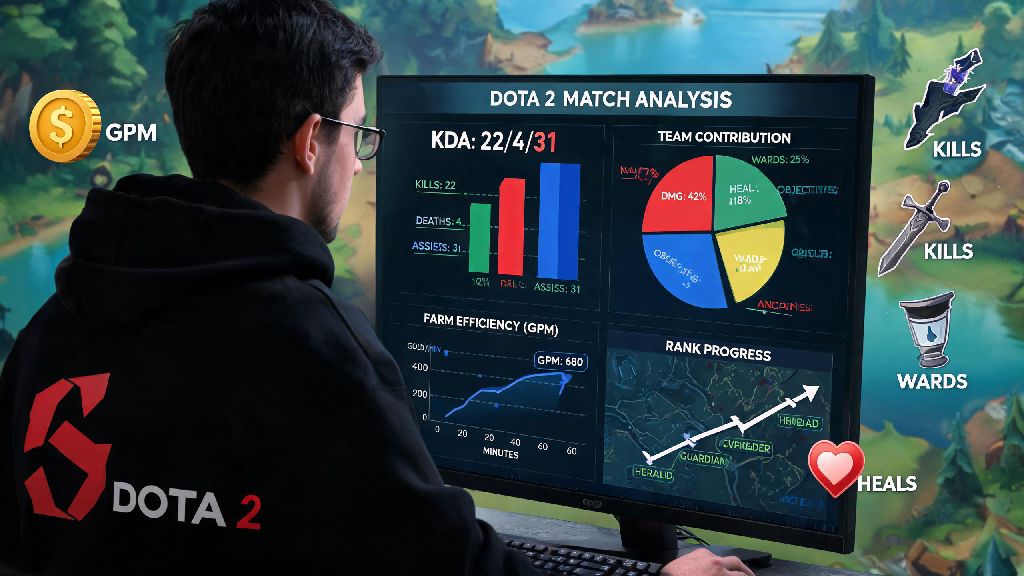
If you’ve ever left a Dota 2 match wondering why you lost despite getting 15 kills, or why your MMR isn’t climbing as fast as you expected, you’re not alone. Most players skip the single most impactful step to getting better: reviewing their performance data. Learning how to check Dota 2 stats gives you concrete, unbiased feedback on what you’re doing right, and what you need to fix to climb ranks faster. You don’t need to be a pro analyst to make sense of this data either—even basic stat checks can cut your rank grind time in half if you know what to look for.
Key Stats You Should Track for Every Dota 2 Match
A lot of new players only look at their KDA after a match, but that’s one of the least useful stats on its own. Dota 2 tracks dozens of metrics that tell you the full story of your performance, from your farm efficiency to how well you’re helping your team. Ignoring these is like trying to fix a car without looking under the hood.
Here are the non-negotiable stats you should prioritize every time you review a match:
You don’t have to memorize every single stat line right away, but starting with these four will give you more actionable feedback than just staring at your kill count after a loss. You can add more metrics to your review routine as you get more comfortable reading stat breakdowns.
How to Check Dota 2 Stats Using In-Game Tools First
Before you go downloading third-party apps or signing up for external sites, you can get 80% of the data you need directly from the Dota 2 client. The in-game stat tools are completely free, update in real time, and don’t require any extra setup, which makes them perfect for quick post-match reviews.
To access your stats in-game, head to your profile page and click the “Stats” tab on the top navigation bar. You’ll see an overview of your performance across all roles, your current rank, and your win rate for the last 30 days. You can also filter by individual hero to see how you perform on specific picks, which is incredibly helpful if you’re trying to expand your hero pool.
For individual match reviews, click the “Match History” tab on your profile. You can pull up full stat breakdowns for every match you’ve played in the last year, including exact creep counts, ward placement locations, and even a full timeline of every kill and objective take. The in-game match replay feature, paired with these stats, lets you rewatch exact moments where you made mistakes, like missing a last hit or overextending without vision, so you can fix those errors in your next game.
One small downside of in-game tools is that they don’t offer comparison data to other players of the same rank or role. You won’t be able to see if your 60 last hits at 10 minutes are above or below average for your MMR bracket, which is where third-party tools come in handy. They also don’t offer personalized tips for improvement, just raw data for you to interpret on your own.
Third-Party Platforms for Deep Dive Dota 2 Stat Analysis
If you want to go beyond basic post-match recaps, third-party stat platforms offer far more detailed breakdowns, performance benchmarks, and personalized tips to help you improve. Most of these platforms have free tiers that give you access to almost all core features, so you don’t have to pay anything to get more insight into your gameplay.
These platforms pull data directly from Valve’s public Dota 2 API, so all the numbers are completely accurate and updated within a few minutes of your match ending. You can see things like your average item build timings compared to top players on the same hero, your win rate when you pick certain heroes with teammates, and even your likelihood of winning a match based on your first 10 minute performance.
Many of these tools also offer real-time stat tracking during matches, so you can see how you’re performing against the enemy team as you play. This is especially helpful for adjusting your strategy mid-game, like if you notice the enemy carry is farming 20% faster than you, so you can prioritize ganking them before they hit their power spike. Some platforms even flag common mistakes automatically, like missed last hits or poorly placed wards, so you don’t have to hunt for errors yourself.
Just remember to avoid getting too caught up in trivial stats that don’t actually impact your win rate. Things like average damage per minute are fun to look at, but they don’t matter nearly as much as your objective take rate or team fight participation for most roles. Stick to the core stats we outlined earlier to avoid wasting time on irrelevant data points.
How to Turn Your Stat Data Into Real Rank Gains
Checking your stats is useless if you don’t actually use that data to adjust your gameplay. I’ve seen hundreds of players review every match they play, but never change their habits, so their rank stays the same for months. The whole point of looking at your stats is to identify consistent patterns of mistakes, not to beat yourself up over one bad game.
Start by tracking your performance across 10 matches instead of focusing on a single loss. If you notice your last hit rate at 10 minutes is consistently 30% below the average for your rank, that’s a clear skill gap you can practice in unranked matches before you go back to ranked grind. If your team fight participation is below 50% in most of your losses, you probably need to stop farming side lanes when your team is grouping for objectives.
Set small, measurable goals based on your stat data instead of vague targets like “gain 1000 MMR this month”. For example, if you’re a carry player, set a goal to hit 70 last hits at 10 minutes in 8 out of 10 of your next matches. Once you hit that goal consistently, move on to the next weak point you found in your stat reviews. This approach lets you build skills one at a time, instead of feeling overwhelmed by all the areas you need to improve.
You also don’t have to review every single match you play. If you won a game convincingly, you can skip the deep dive unless you want to replicate what you did right. Focus your review time on the matches you lost by a small margin, or the games where you felt like you could have made a difference if you played better. That way you’re not wasting time reviewing games where the outcome was out of your control, like if a teammate abandoned the match early.
You don’t need to be a pro player to get value from reviewing your gameplay data. Even 10 minutes of stat review after each play session can help you fix mistakes faster than grinding 10 extra matches without any direction. Taking the time to learn how to check Dota 2 stats and use that data to adjust your playstyle is one of the easiest, most underrated ways to climb ranks and get more enjoyment out of every game you play. Next time you finish a frustrating loss, skip the post-match argument in chat and pull up your stat page instead—you’ll be surprised how much you can learn.