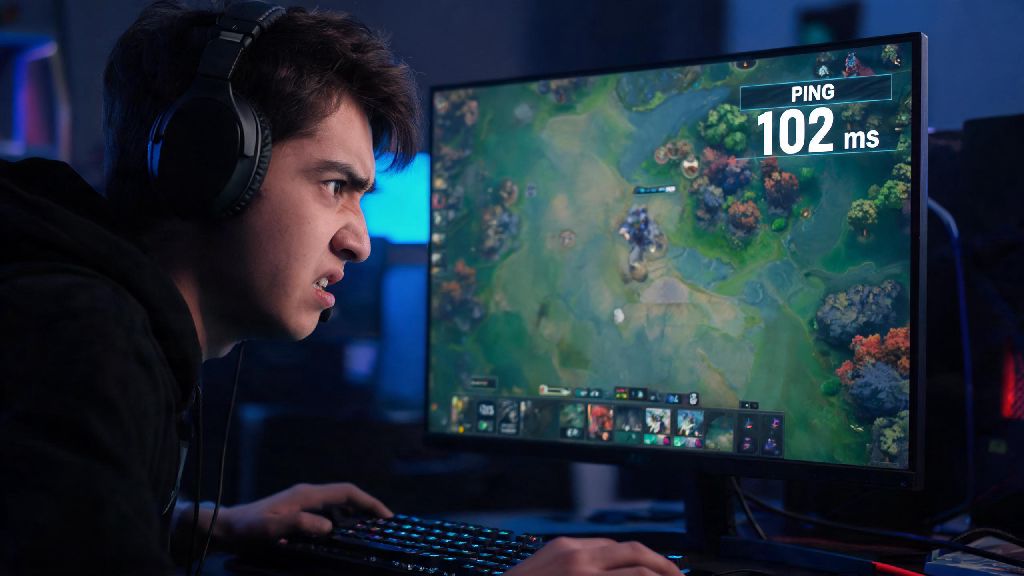
You're mid lane, about to land a perfect Lina stun on the low-health enemy Invoker, but suddenly your character freezes for half a second. By the time you regain control, you're dead, your tower is gone, and your teammates are spamming question marks in chat. 9 times out of 10, this mess is caused by high ping you didn't even know you had. If you've ever been in this situation, learning how to check my ping in Dota 2 is the first step to stopping those frustrating, avoidable losses. Most players don't realize that ping fluctuations can happen mid-match even if your internet was fine when you logged on, so checking it regularly can help you adjust your play or fix issues before they cost you the game.
How to Check My Ping in Dota 2 Using In-Game Settings (Fastest Method)
If you're wondering how to check my ping in Dota 2 without leaving your match, this in-game method is by far the most convenient. You don't need any third-party tools, and you can enable it even in the middle of a tense team fight if you notice odd delay. First, open the settings menu by clicking the gear icon in the top left corner, or pressing the hotkey you've assigned for settings (most players use ESC). Then, navigate to the Options tab, then select the Advanced Options submenu.
Scroll down until you see the Network section, then check the box next to Display Network Information. That's it. Once you exit settings, you'll see a small box in the top right of your screen that shows your current ping, packet loss, and choke percentage, updated in real time. I usually keep this setting enabled 24/7, because it doesn't block any important in-game UI, and it lets me spot ping spikes the second they happen.
If you only want to check your ping once without changing settings, you can also pull up the scoreboard by pressing TAB, and your ping will be listed next to your username at the top of the scoreboard. This quick check won't show you real-time fluctuations, but it's good for a fast snapshot if you're noticing unusual delay. This method works for all game modes, including unranked, ranked, turbo, and custom games, no exceptions.
Third-Party Methods to Test Ping Before Joining a Match
The in-game method works great once you're in a match, but if you want to test your connection before you queue for ranked, you can use external tools to check ping to Dota 2's servers directly, so you don't waste 10 minutes in queue only to find your connection is terrible. First, you can use the Windows Command Prompt or Mac Terminal. Open Command Prompt on Windows (type cmd in the search bar) or Terminal on Mac, then type in the ping command for your nearest Dota 2 server. You can find official server IPs for your region on Valve's support page, or use a pre-built Dota 2 ping test tool that automatically connects to your local servers.
When you run a ping test, you're looking for three key metrics to tell if your connection is good enough for competitive play:
One thing to note: these external tests give you a baseline, but real in-game ping can be slightly higher if you have other apps running in the background using bandwidth, like streaming software or video calls. For the most accurate results, close all non-essential apps before running a test. You don't need to pay for any fancy ping testing tools, all the free options work just as well for basic Dota 2 ping checks.
What to Do If Your Dota 2 Ping Is Higher Than Expected
So you've checked your ping and it's way higher than it should be, what now? First, don't panic, most high ping issues are easy to fix without calling your internet provider. First, close all background apps that use internet. That includes Netflix tabs, Discord streams, cloud backup services, and even other games running in the background. I once had 200ms ping for 10 minutes of a ranked match before I realized I had a 4K YouTube video uploading in the background, which was eating up all my upload bandwidth. I fixed it in 10 seconds, but I still lost a tower and two kills in that time.
Next, if you're on Wi-Fi, switch to a wired ethernet connection if you can. Wi-Fi is way more prone to interference from other devices, walls, and even microwaves, so a wired connection can cut your ping in half instantly. If you can't use a wired connection, move closer to your router, and make sure no other devices are using the Wi-Fi for heavy tasks like 4K streaming or large downloads while you play.
Another common fix is to switch your Dota 2 server region to the one closest to you, even if you have to wait a few extra seconds for a match. Playing on a server 1000 miles away for a shorter queue time is never worth the extra 100ms ping that will make you play worse. If none of these fixes work, check Dota 2's official server status page to see if there's an outage in your region. If all your teammates are complaining about the same lag, the issue is on Valve's side, not yours, and you won't be able to fix it on your end.
Common Ping Misconceptions Dota 2 Players Should Stop Believing
I've seen a lot of wrong information floating around Reddit and Discord about Dota 2 ping, so let's clear up some of the most common myths that lead to unnecessary frustration. First myth: "If my ping says 50ms, I have no delay." That's not true, because the ping number you see is only the time it takes for data to go from your computer to the server and back, but there's also input delay from your monitor, keyboard, and in-game frame rate. So if you're playing on a 60Hz monitor with 30 FPS, you might still feel delay even with perfect ping.
Second myth: High ping always means your internet is bad. That's not true either. Sometimes Dota 2's servers have outages or high load, especially during big tournaments or new patch releases when thousands of players are logging on at the same time. If all your teammates have the same high ping as you, the issue is on Valve's side, so you don't need to waste time resetting your router or calling your ISP.
Third myth: "You can't climb ranks with ping over 100ms." That's not true at all. Plenty of players hit Immortal with 100-120ms ping, you just have to adjust your playstyle. For example, you can pick heroes with less skill shot reliance, or cast your abilities a tiny bit earlier than you normally would to account for the delay. The only time ping makes climbing impossible is if you have regular spikes over 200ms or consistent packet loss that makes your character freeze every few seconds.
At the end of the day, small connection issues can make a huge difference in how well you play Dota 2, even if you have perfect mechanics and game sense. Taking 30 seconds to learn how to check my ping in Dota 2 and keep an eye on it during matches will save you from hundreds of frustrating losses down the line. You don't need fancy tools or technical knowledge to do it, just a quick toggle in your settings or a 10 second ping test before you queue. Next time you're about to load into a ranked match, take a second to check your ping first, you'll thank yourself when you land that perfect stun instead of freezing mid-fight.